
Client Playbook
She knows the client.
You can skip the introduction.
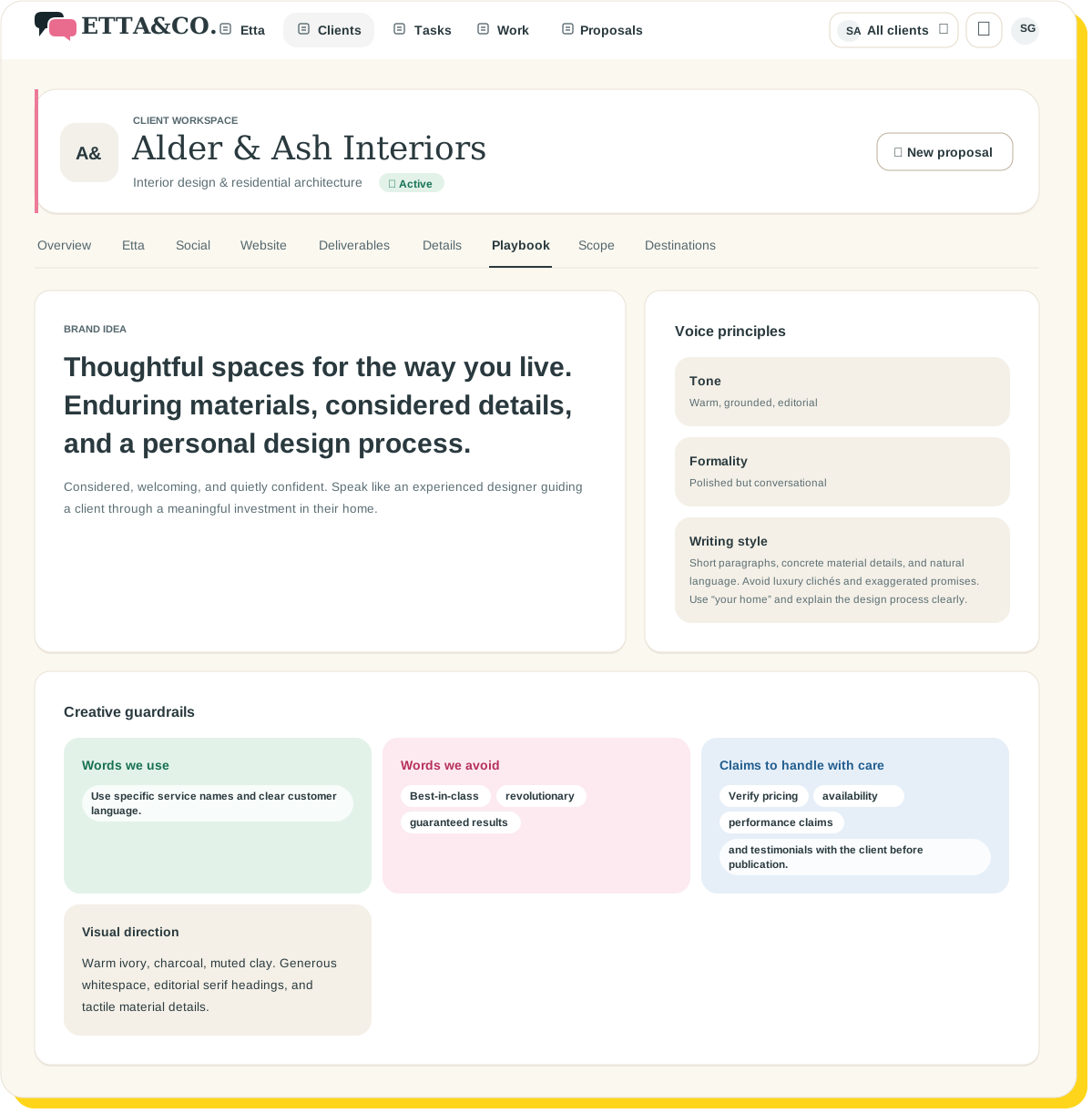
Keep each client’s voice, business details, preferences, and approved information together—so Etta starts proposals and content with the context already in place.
Less re-explaining. Less hunting. Less “where did we put that?”
Planned access November 16, 2026. Get launch updates and a link to get started.
 I’ve read the brand guide. Twice. I have notes.
The client shouldn’t live in one person’s head.
Someone knows they prefer “members” to “customers.” Someone remembers the audience changed. Someone has the brand guide.
Unfortunately, those might be three different people.
The Client Playbook gives that understanding a shared home, so the next person who picks up the work isn’t starting with a scavenger hunt.

The details that make the work sound like them.
Their business
What they do, who they serve, and what matters to their audience. Useful background stays close to the work it informs.
Their voice
Tone, writing style, preferred terminology, and words to avoid. Because “friendly” means something different to every client.
Their preferences
The small instructions that are surprisingly easy to forget—and surprisingly noticeable when you do.
“Someone remembers the client hates exclamation points. Unfortunately, that someone is on vacation.”
Human-approved
Give Etta something better than a guess.
Add client information directly or upload supporting material, such as brand guidelines, briefs, and meeting notes.
Etta can propose useful details from that material and from meeting transcripts. You review AI-derived information before it becomes approved client context.
Supporting sources give your team a way to check the background. A passing comment doesn’t automatically become a brand rule.
Example approval
Harbor · suggested Playbook update
Terminology preference
Use ‘members,’ not ‘customers.’
Source: Brand guide
Awaiting your review
ApproveEditDismiss
↺ Reset example
Etta suggesting new Client Playbook facts from a discovery call, each waiting for a person to approve before it is added.
One context, every workspace
Same client. Same understanding. Different work.
The Client Playbook supplies context across Etta’s proposal planning and content workspaces.
You’re directing a new piece of work—not introducing the client all over again.
Your agency gets a Playbook, too.
Keep your agency’s preferences alongside the client’s, so Etta understands how your team works as well as who you’re working for.
Your studio · Agency PlaybookApproved
Example Playbook
ProposalsAlways include a timeline and a “what happens next” section
ToneConfident, plain-spoken, never salesy
SourceStudio guidelines, uploaded by you
Bring her up to speed.
01
Add the background
Enter what you know and upload the material that supports it.
02
Review the details
Approve, edit, or dismiss AI-proposed information.
03
Put the context to work
Use the approved understanding when planning proposals and creating client copy.
A few good questions
Your next draft deserves a better starting point.
Give Etta the client context. Keep your attention on the work.
Planned access November 16, 2026. Get launch updates and a link to get started.
Keep exploring