
Etta for virtual assistants & OBMs
You keep everyone else organized.
Meet someone who helps you do it.
Keep client instructions, recurring responsibilities, meetings, and tasks connected—with an assistant you can direct through conversation.
Less remembering everything for everyone.
Planned access November 16, 2026. Get launch updates and a link to get started.
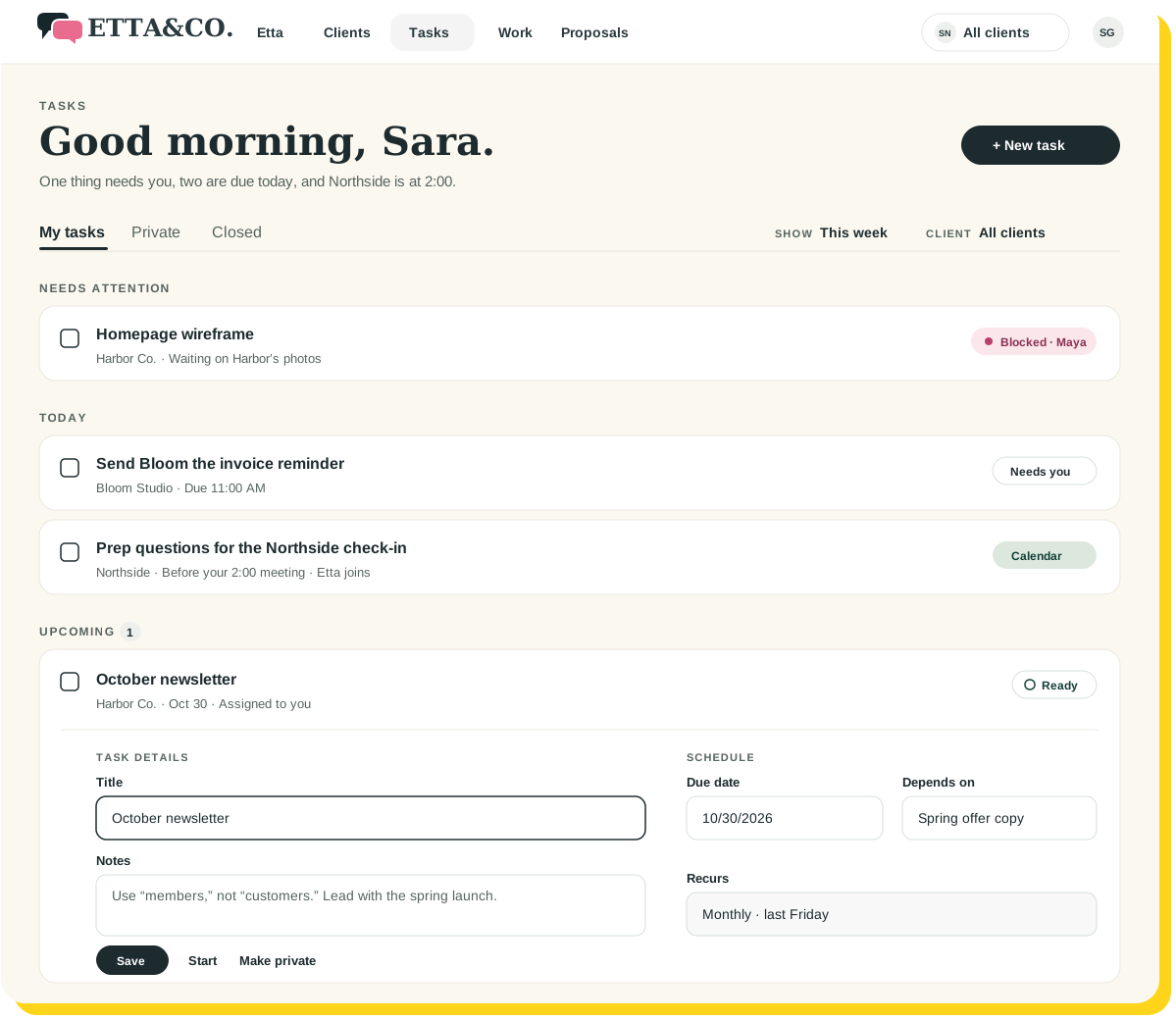
 Harbor’s Friday update is drafted. Bloom wants theirs Monday.
Every client has a different way of doing the same thing.
One wants a Friday update. Another calls customers “members.” Someone needs the newsletter reviewed before the monthly meeting.
You can keep it straight. You’d just rather not keep all of it in your head.
Etta gives each client’s preferences and commitments a place—and helps you turn that understanding into the next step.

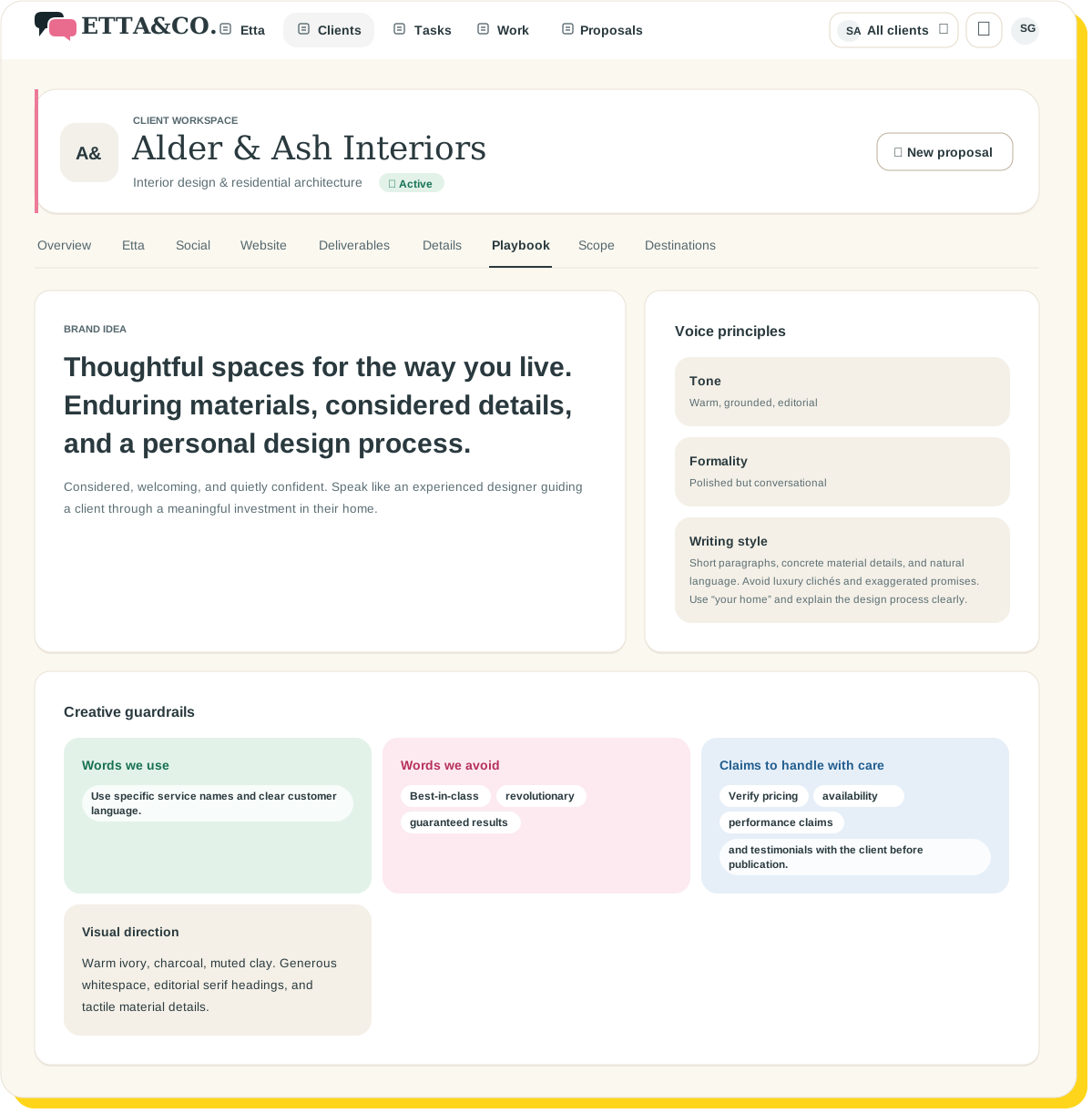
Client Playbook
Keep the instructions with the client.
Use the Client Playbook for business details, terminology, communication preferences, and approved information.
Add supporting documents and notes. Review AI-proposed details before keeping them as client context.
The next time you pick up the work, the background is already close.
Recurring work
Recurring work deserves more than a recurring reminder to remember it.
Organize ongoing commitments with recurring work generation.
Use dependencies to connect the steps that rely on each other. Keep blocked work visible and responsibilities clear.
A monthly task shouldn’t become a monthly surprise.
Conversational tasks
Tell Etta what needs doing.
Create tasks through conversation. Assign work, claim it, complete it, reopen it, or mark it blocked.
Ask what needs you today. See connected Google or Outlook meetings alongside the work.
Private tasks have a place, too. Your entire life doesn’t need to appear on the client’s list.
Illustrative example
“Create a task to send Bloom’s Friday update.”
Added for Friday and assigned to you.
“Assign the newsletter review to Maya.”
Assigned to Maya. It’s due before Harbor’s monthly meeting.
“What needs me today?”
Two tasks, and your 2:00 with Northside.

Keep the business side of your services moving.
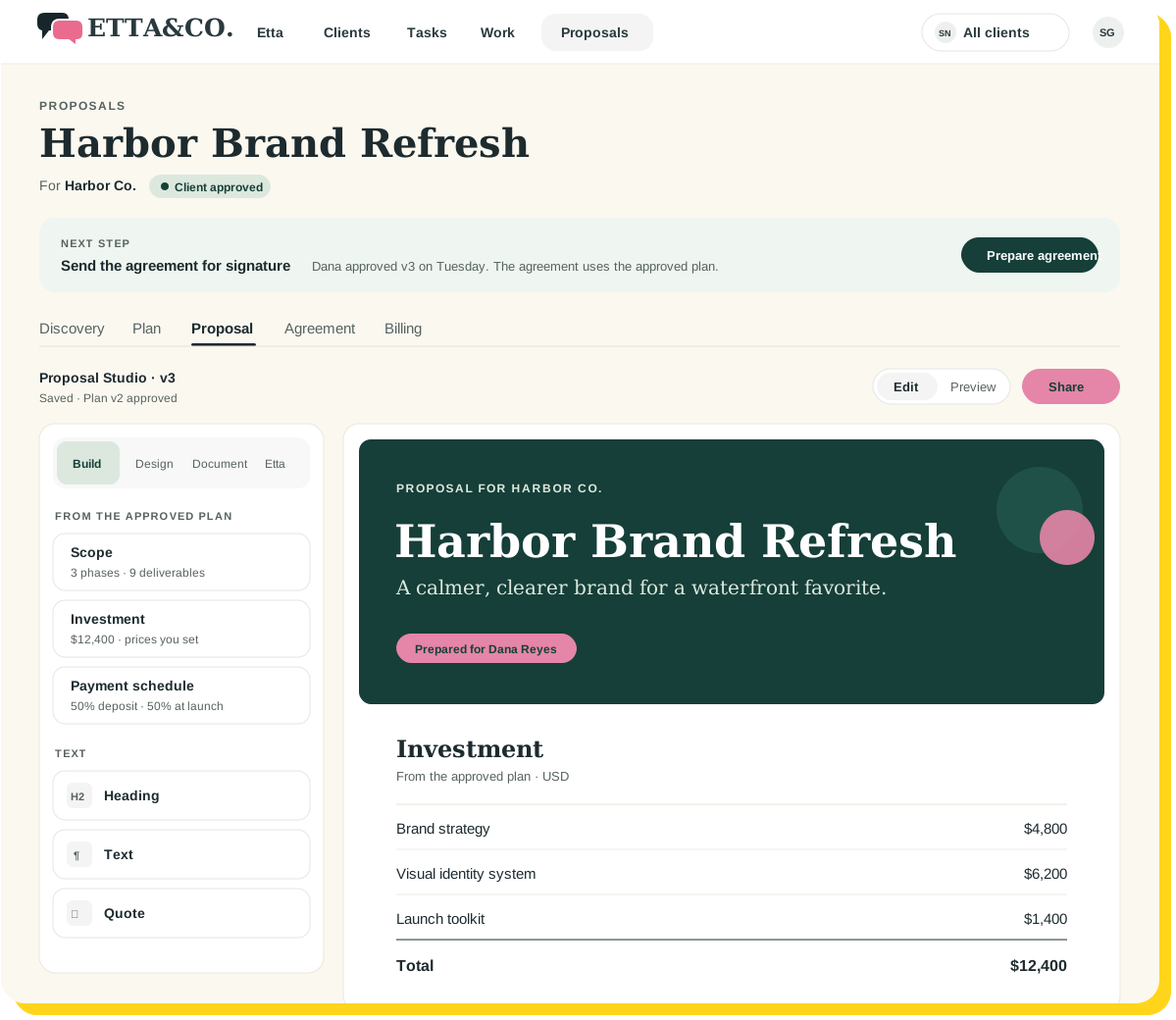
Plan proposals using prospect context, send digital agreements, create invoices, and track card payments through your connected Stripe account.
If content is part of your client work, use Etta’s newsletter, website-page, and social-copy workspaces with the Client Playbook in context.
For your own marketing, give your business a Playbook and put the same writing tools to work.
Etta starts November 16.
Client instructions, recurring work, and the business side, all in one place.
A clearer way to carry the day.
01
Set up the client context
Keep preferences, instructions, and supporting material together.
02
Organize the commitments
Connect tasks, recurring work, dependencies, and meetings.
03
Direct the next step
Ask Etta what needs attention and manage supported task actions through conversation.
A few good questions
Your clients have you. You can have Etta.
Keep the details close and the next steps clear.
Planned access November 16, 2026. Get launch updates and a link to get started.
Keep exploring