
Etta for PR & communications teams
Keep the message straight.
And the work behind it.
Bring client messaging, meeting decisions, recurring commitments, and content drafting into a connected workspace.
Same client understanding. Whoever picks up the next piece.
Planned access November 16, 2026. Get launch updates and a link to get started.
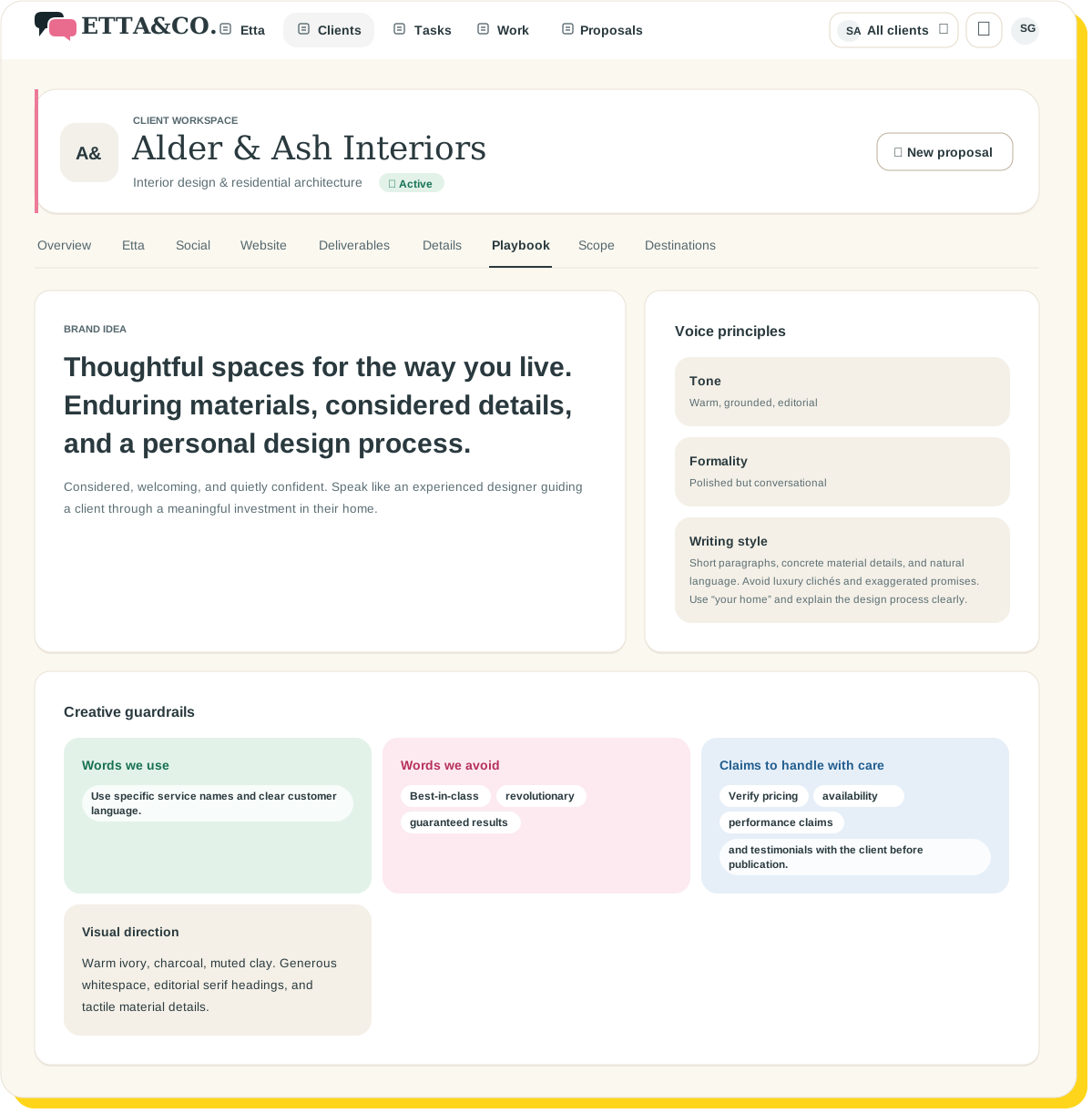
 The preferred wording changed Tuesday. The Playbook has the latest version.
The message changed. Did everyone get the message?
The client refined the terminology on Tuesday. Someone adjusted the audience on Wednesday. Friday’s newsletter is already underway.
Keeping the team aligned can become its own project.
Etta keeps approved client information close to the work, so useful decisions don’t disappear into one person’s notes.

Client Playbook
Keep the client’s language together.
Use the Client Playbook for business context, audience details, preferred terminology, voice, and instructions.
Add supporting material and review AI-proposed information before keeping it as approved context.
Give the team a shared starting point without relying on someone remembering the latest wording.
What the team starts from
Whoever picks up the next piece starts from the same wording.
Etta Notetaker
Turn meetings into reviewable next steps.
Send Etta Notetaker to a calendar meeting. Review proposed tasks, decisions, client preferences, and possible scope changes afterward.
Keep what matters and correct what needs interpretation before carrying it into the work.
“We discussed it” becomes something the team can actually review.
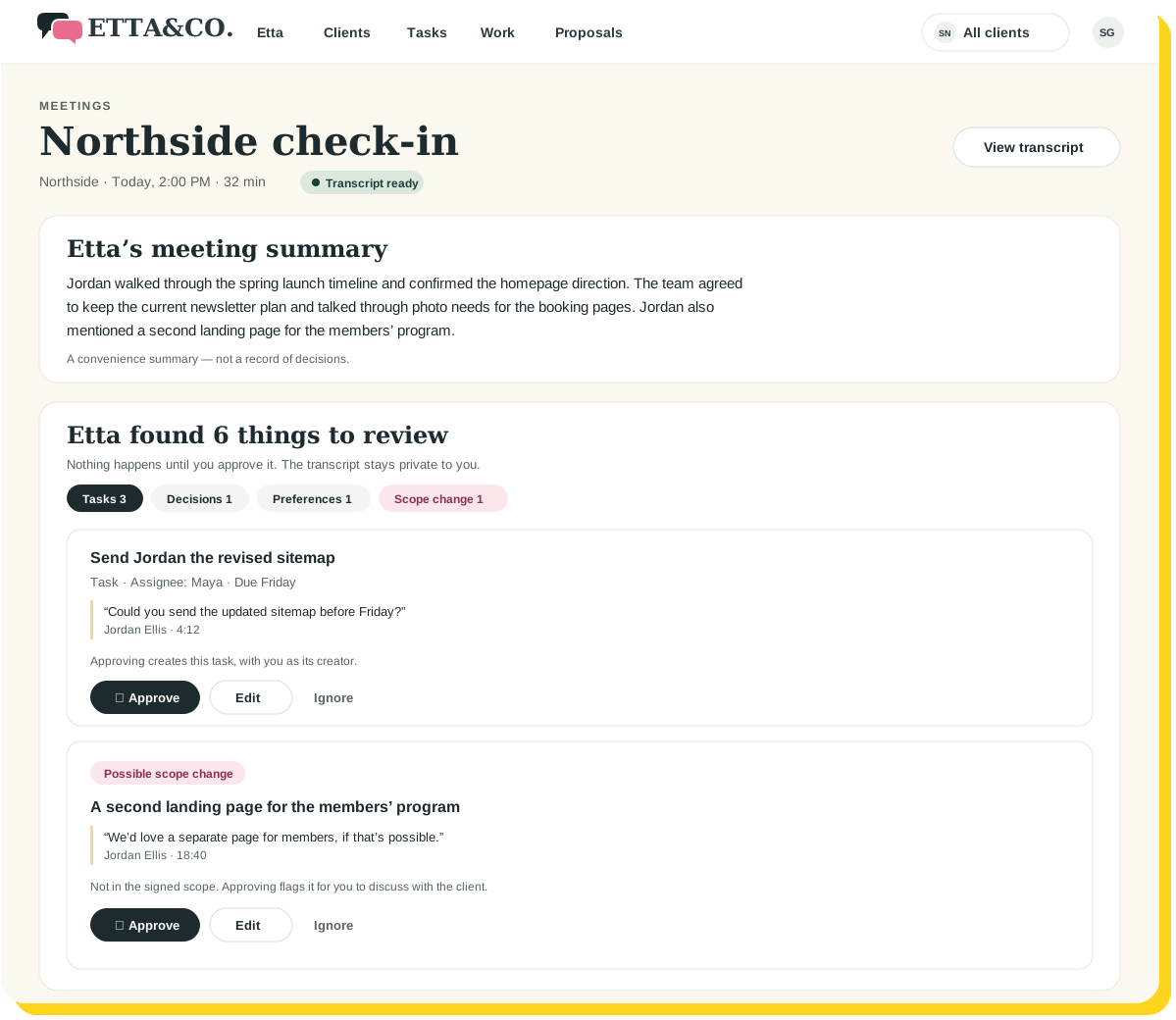
Six things to review from the Northside check-in. Nothing changes until you approve.
Content drafting
Draft with the client already in mind.
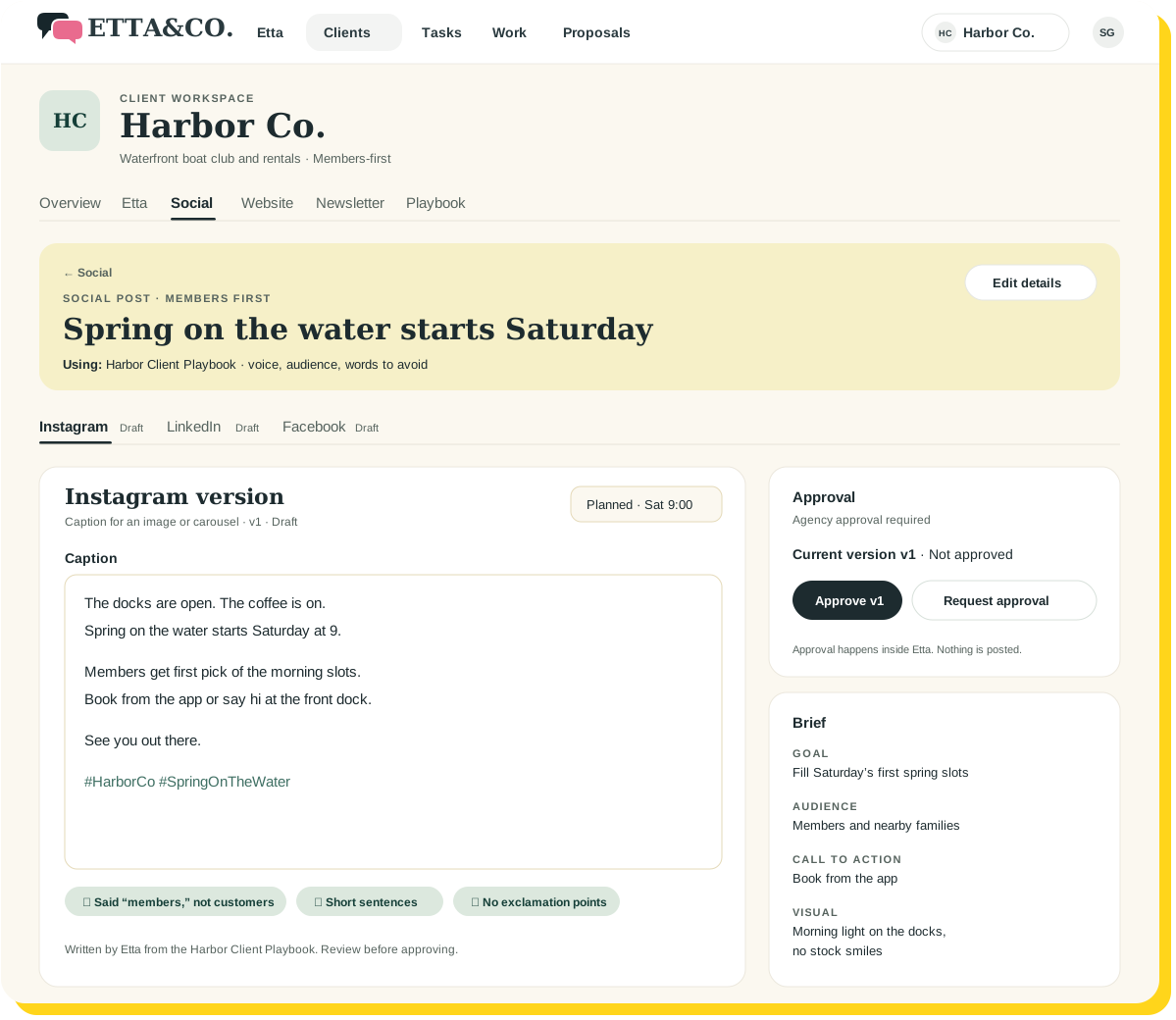
Create newsletter, website-page, and social-media copy using the Client Playbook as context.
Review the facts, message, and language before publication. Etta helps with a relevant draft; your team decides whether it is ready.
Your own firm’s marketing can use the same workspaces with a Playbook for your business.
Etta starts November 16.
Client messaging, meeting decisions, and drafts, all in one place.

Keep the responsibilities visible.
Assign tasks, manage recurring commitments, and connect dependencies.
Your Day helps surface what needs attention, while connected calendars bring meetings into the picture.
For new engagements, keep proposal planning, digital agreements, and invoices connected as well.
The message may be nuanced. Who handles the next step should be clearer.
From discussion to the next deliverable.
01
Capture the client understanding
Keep messaging, voice, preferences, and supporting material together.
02
Review the new information
Approve useful meeting findings before they become part of the workflow.
03
Draft and coordinate
Create supported content and keep responsibilities visible.
A few good questions
Keep the context shared. Keep the next step clear.
Etta starts November 16.
Planned access November 16, 2026. Get launch updates and a link to get started.
Keep exploring