
Tasks & Your Day
Open your day.
Find your next move.
See what needs you, what needs someone else, what’s at risk, and what’s coming up. Then tell Etta what needs doing.
A clearer day. A shorter conversation with your task list.
Planned access November 16, 2026. Get launch updates and a link to get started.
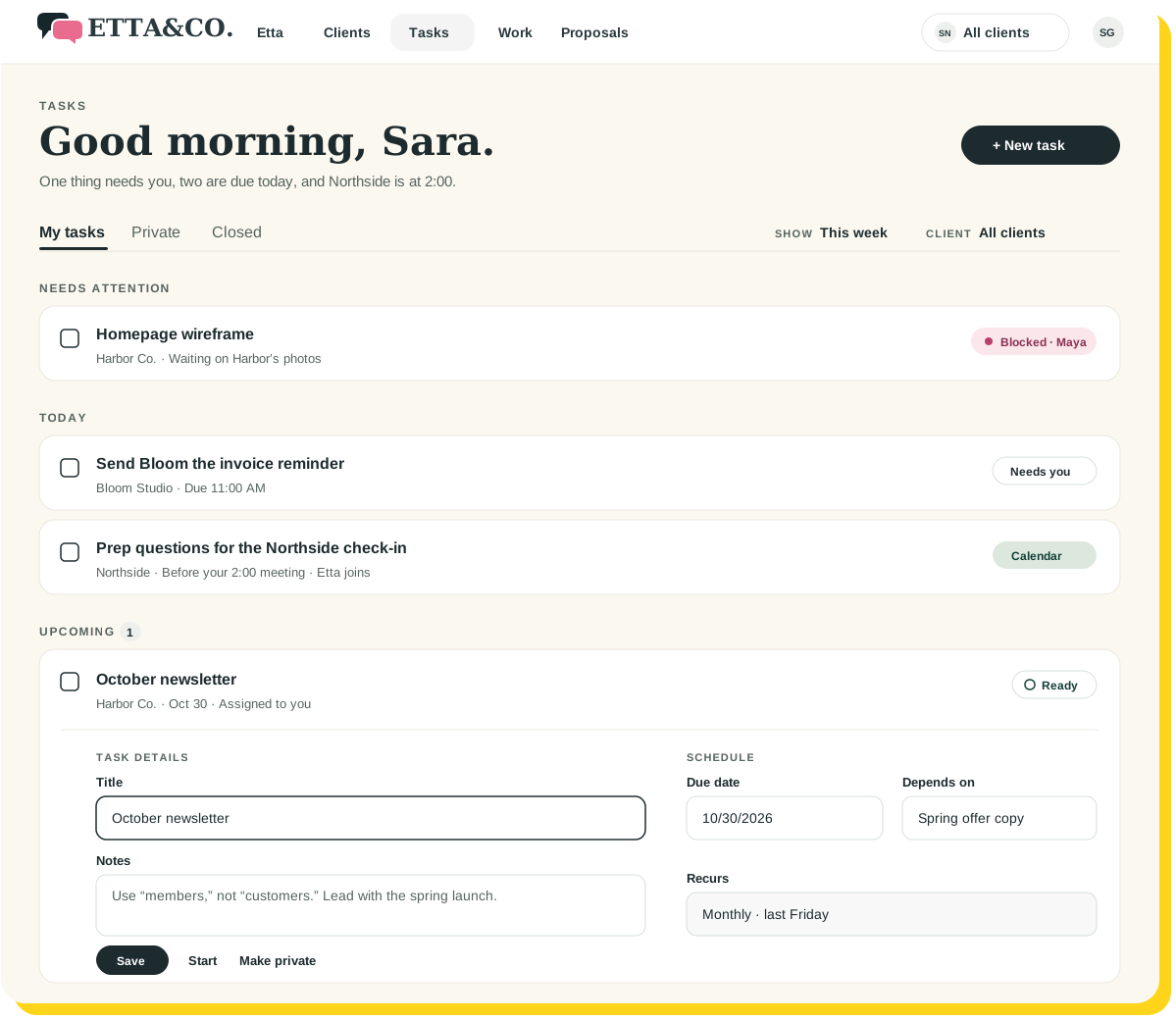
 One thing needs you. The rest can wait until after your 2:00.
“What needs me first?”
A very reasonable Monday morning question.
The answer shouldn’t require checking a calendar, a task board, three client workspaces, and your memory.
Your Day brings recorded work and connected calendar information together so you can see what needs attention—and open the relevant item.

Your day, sorted into four piles.
Needs you
The work that requires your attention.
Needs someone
The work that needs an owner or another person’s next step.
At risk
Items that need a closer look before they slip further.
Coming up
What’s approaching, alongside the meetings already on your calendar.
Conversational tasks
One conversation. Consider it underway.
Create and manage tasks by talking to Etta.
Etta supports task actions including assigning, claiming, completing, reopening, and blocking work.
Less clicking through menus. More saying what you mean.
Illustrative example
“Create a task to update Harbor’s homepage.”
Done. “Update Harbor’s homepage” is on your list.
“Assign it to Maya.”
Assigned to Maya.
“What’s blocking the newsletter?”
It’s waiting on Harbor’s spring photos.
“Mark that done.”
Marked done. Nice.
Etta starts November 16.
Your tasks, your calendar, and a coworker who can take instructions.
Update Harbor’s homepageReady
Created from a conversation
ClientHarbor Co.
AssignedMaya
Depends onHomepage wireframe
DueFriday
Recurring work and dependencies
Recurring work shouldn’t depend on remembering it again.
Keep ongoing commitments organized with recurring work generation.
Connect tasks through dependencies so the next step reflects the work it relies on.
And when something is blocked, keep that status visible. A blocked task is a useful signal—not a personal failing.
Everyone knows whose turn it is.
Client work has a place.
Keep tasks associated with clients and prospects.
Team responsibilities stay clear.
Assign, unassign, or claim tasks within your team’s permissions.
Private work stays private.
Keep personal tasks and Home conversations separate from shared client work.
Google Calendar & Outlook
Your meetings belong in the picture.
Connect Google Calendar or Outlook Calendar to bring meetings alongside daily work.
See the calendar information in your briefing or ask Etta about what’s scheduled.
Your Day · ThursdayGoogle Calendar
Meetings and work, side by side
9:30 AM · Harbor standupMeeting
11:00 AM · Bloom invoice reminderNeeds you
2:00 PM · Northside check-inEtta joins
4:00 PM · October newsletter draftComing up
Your 2:00 meeting is part of your day. Your task list should know it exists.
A few good questions
Start with the work. Skip the morning investigation.
Ask Etta what needs you. Then get on with it.
Planned access November 16, 2026. Get launch updates and a link to get started.
Keep exploring