
Etta Notetaker
You take the meeting.
Etta keeps the useful bits.
Capture the conversation, then review proposed tasks, decisions, client preferences, and possible scope changes.
Meeting notes that help with what happens after the meeting.
Planned access November 16, 2026. Get launch updates and a link to get started.
 They mentioned a second landing page. Worth checking the scope.
Listening is easier when you’re not also the minutes department.
You’re following the conversation, asking a useful question, and trying to write down the thing the client just said.
Then someone says, “Actually, one more thing.”
Send Etta to the meeting so you can stay in the conversation. Afterward, the transcript and proposed findings give you somewhere concrete to start.

From your calendar
Send Etta. Stay present.
Use “Send Etta” on a calendar meeting to start the notetaker flow.
Recording disclosure and consent are built into the process. Your notetaker preferences give you a place to manage how you use it.
Etta captures the transcript so you can review the conversation afterward.
Northside check-inGoogle Calendar
Today · 2:00–2:30 PM · Video call
ClientNorthside
GuestsJordan Ellis, Maya, you
DisclosureShared when Etta joins
Send EttaNotetaker preferences
The transcript is the beginning.
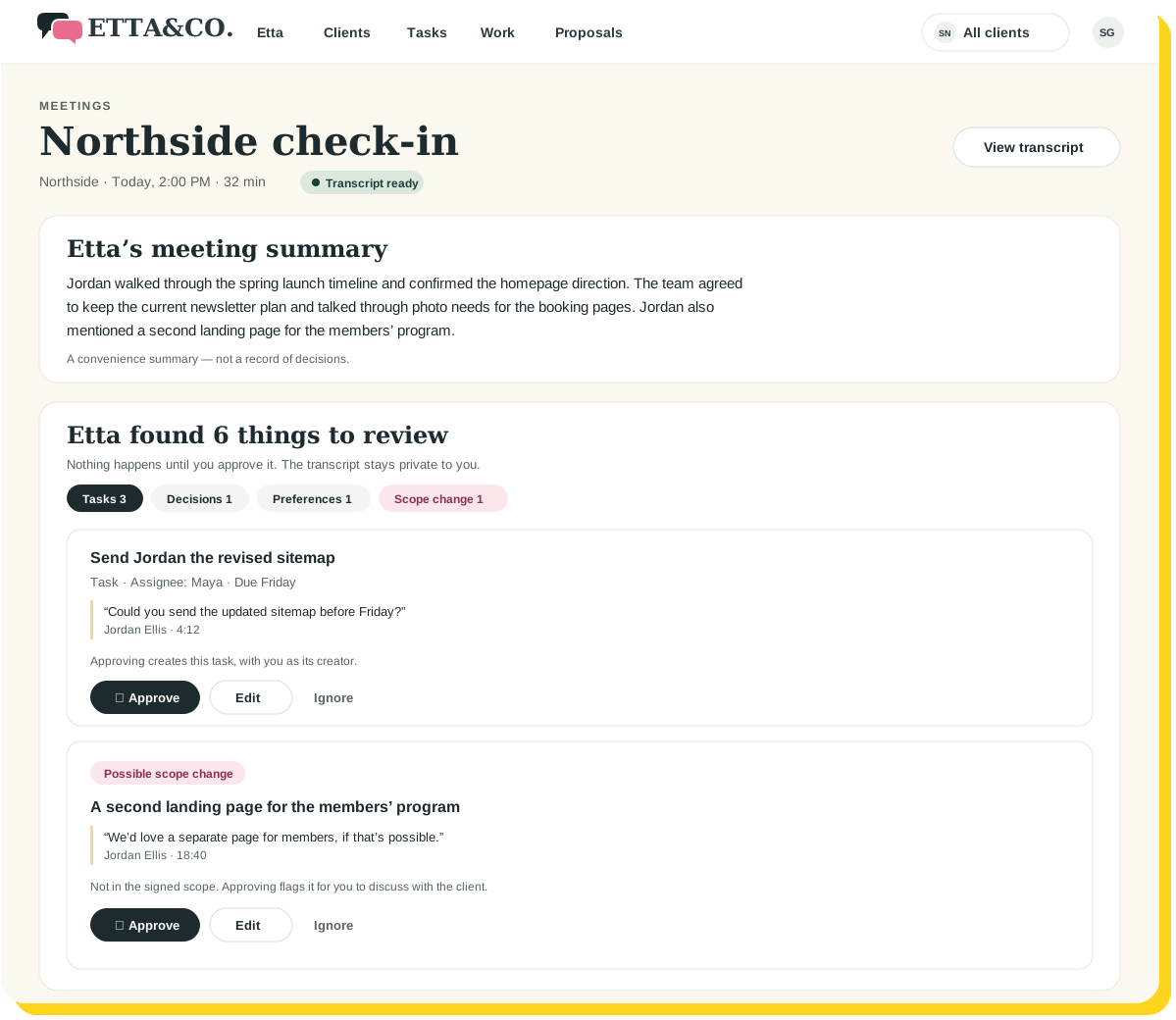
Etta reviews the transcript and proposes findings for you to consider.
Tasks
The next steps someone may need to do.
Decisions
The choices worth keeping close to the work.
Client preferences
New details that could belong in the Client Playbook.
Possible scope changes
Requests worth checking against what was agreed.
Discovery details
Information that could help shape a proposal.
“They mentioned a second landing page. Worth checking the scope.”
Human review
You decide what becomes a next step.
Approve, edit, or ignore each finding.
You can correct the interpretation, refine a task, or decide that an idea doesn’t need to go anywhere.
Etta brings you candidates. You decide what counts.
Because “we could do that someday” and “please add that to the project” are different conversations.
Northside check-in · Findings6 to review
Send Jordan the revised sitemap
Task · Assignee: Maya · Due Friday
“Could you send the updated sitemap before Friday?”
Jordan Ellis · 4:12
ApproveEditIgnore

Keep the meeting close to the client.
Associate the meeting with the right client or prospect. Keep its transcript and reviewable findings connected to that relationship.
When the meeting is ready to review, find it in Your Day.
Less “Which call was that?” More “Here’s what we agreed.”
From conversation to useful context.
01
Send Etta
Start capture from the calendar meeting, with disclosure and consent.
02
Review the findings
Check the proposed tasks, decisions, and client information.
03
Keep what matters
Approve the useful next steps and information for the relevant workflow.
A few good questions
A better meeting deserves a better follow-through.
Stay in the conversation. Give the next steps somewhere to go.
Planned access November 16, 2026. Get launch updates and a link to get started.
Keep exploring